A photo storage drive is useful only when you know whether it holds the working originals or a separate backup. Choose that role first, then select capacity and connection around the library you actually have.
The Samsung T7 1TB is the more convenient candidate for a small portable working set or frequent copying when its capacity is sufficient. The WD My Passport 2TB is a capacity-focused alternative for a larger home copy, with a different physical storage mechanism and handling considerations.
This is a research-based comparison of two exact variants checked on October 24, 2026. It contains no measured speed or reliability test and makes no claim that either drive, by itself, creates a complete backup strategy.
As an Amazon Associate, this site earns from qualifying purchases. Each linked product image and purchase button uses this site’s existing affiliate tag.
Count the library before comparing products
| Exact choice | Useful condition | Tradeoff |
|---|---|---|
| T7 1TB Titan Gray | Portable smaller working set | Capacity must include growth |
| My Passport 2TB black | Larger stable home copy | Handle HDD steadily during use |
Check the size of the original-photo folders, relevant video, and editing support files you intend to store. Add a realistic allowance for new events rather than choosing a drive that barely accommodates today's library.
For a concrete planning exercise, imagine a 300GB library growing by 100GB over the next year. A 1TB nominal-capacity drive gives a different amount of headroom from a 2TB drive, but actual usable space and formatting mean you should not treat the label as an exact empty-file allowance.
Do not estimate solely from the number of photographs. Raw files, JPEGs, and video vary substantially in size, so use the actual folder total and check how much each recent event adds.
Samsung T7 1TB Titan Gray: a compact option for frequent use
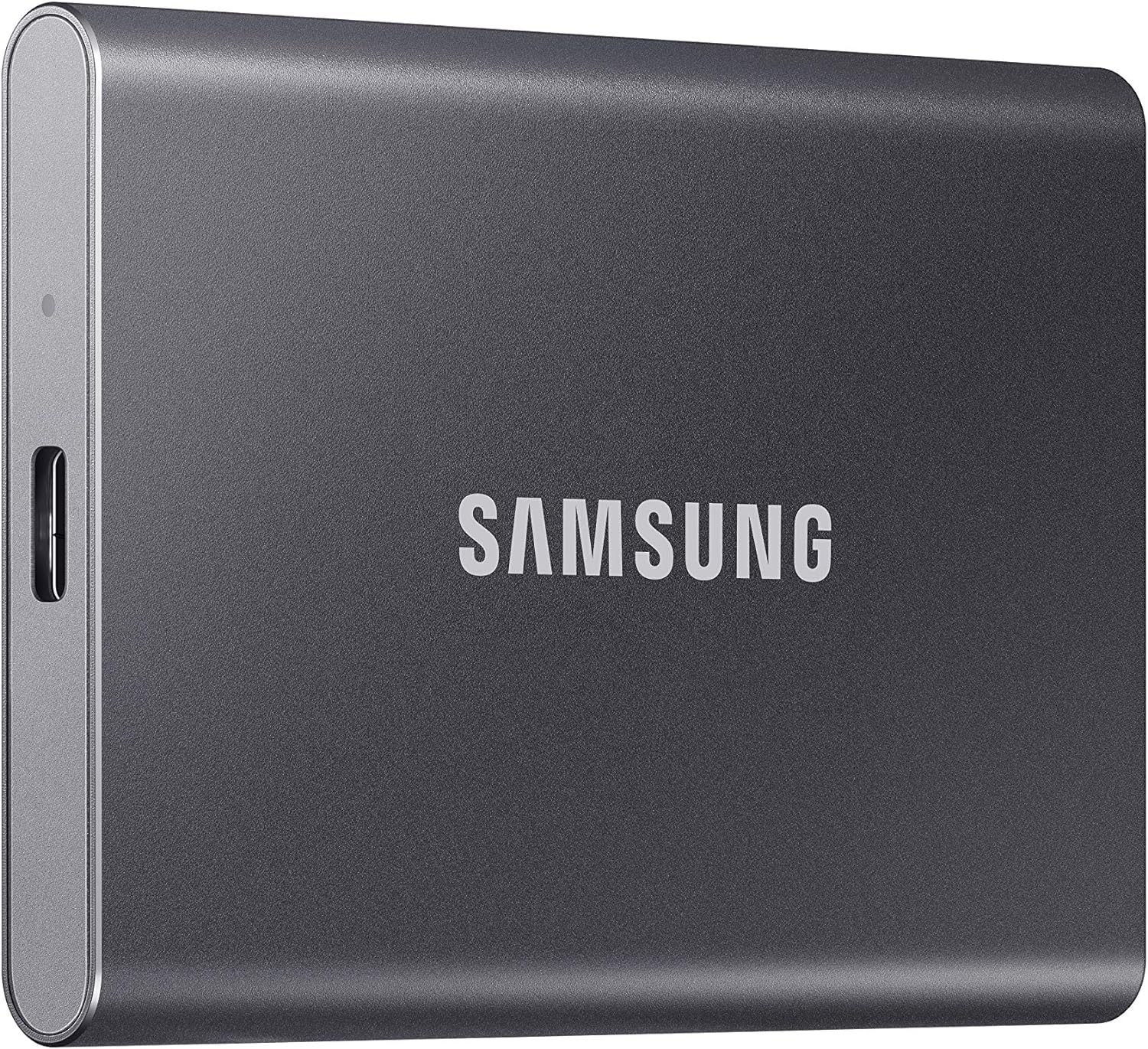
The checked B0874XN4D8 is the standard T7 1TB Titan Gray, model MU-PC1T0T/AM. Samsung lists USB 3.2 Gen 2 and advertises sequential reads up to 1,050MB/s and writes up to 1,000MB/s; those are manufacturer maxima, not results measured for this article.
Choose it when the intended library fits comfortably and you want a compact solid-state drive for a portable working set or regular copies. Its practical value depends on the computer port, cable, file mix, and source storage as well as the drive itself.
For a small desk with frequent laptop movement, plan a short, controlled cable route so the drive does not hang from the port. A compact product can still be pulled off a table if its cable crosses the place where someone sits or reaches.
The limitation here is capacity, not a claim that one brand is universally more reliable. If your originals and near-term growth already approach the available space, choose a larger capacity rather than compressing the archive into an unsuitable role.
Keep this exact model distinct from T7 Touch and T7 Shield variants. Similar names do not establish the same enclosure, security features, package, or durability claims, so confirm the destination selection before ordering.

WD My Passport 2TB black: more capacity for a home copy

The checked B07VTFN6HM is the black 2TB My Passport HDD, model WDBYVG0020BBK-WESN. Western Digital's official datasheet maps that model and describes the USB connection and USB-A cable, while software availability requires its own download and compatibility checks.
Choose it when the extra nominal capacity better fits your original library and the drive will normally remain in a stable home location. A larger margin can make the backup routine easier to sustain as new folders arrive.
Because this is a hard drive, give it a stable surface and avoid moving it casually during operation. Keep the cable clear of children, pets, and objects that might pull it from the desk while files are being written.
The limitation is that a capacity advantage does not make a single disk a protected archive. You still need another independent copy and a way to recover files if this device fails or becomes unavailable.
Keep the selected black 2TB model distinct from Renewed offers, Ultra variants, and versions marketed for Mac. Do not assume an included utility, preformatting, or regional package matches another similarly named listing.
Assign a role with a label you can understand
Call one location Working Originals and the other Photo Backup, using physical labels if that helps. If the external drive is the only place containing the originals, it is primary storage even if you call it a backup drive.
A second folder on that same device does not become an independent copy. The important distinction is separate storage that can survive a problem affecting the first location, not how many folder names appear in the file browser.
Before copying, read the source and destination paths carefully. A backup job pointed at an empty or wrong folder can complete successfully while protecting none of the photographs you intended.

On a small screen, scroll the diagram sideways to read its labels.
Treat a two-copy setup as a useful beginning
For an initial routine, keep working originals in one location and a verified copy on a separate drive. After copying, open files from the second location and confirm you can identify the actual event folder there.
For longer-term protection, plan beyond two devices sitting beside one another. Canada's Cyber Centre recommends three copies, two media types, and one offsite copy, addressing risks that a second disk on the same desk cannot solve.
Use a cloud or other offsite arrangement only after checking what it includes and how restoration works. A synchronized preview library or a folder of small sharing exports may not contain the full-resolution originals you would want after a loss.
Check the computer and cable before setup
Identify the actual port on the computer and the cable supplied with the selected package. An adapter can be appropriate, but it adds another connection and should support the intended data path rather than merely fit physically.
Before formatting any drive, confirm that it contains no files you need and select a filesystem appropriate to your computers and backup software. Formatting is destructive, so follow the operating system and manufacturer instructions for the specific setup.
Do not erase an existing drive while it contains the only copy of an old library. Move and verify those files elsewhere first, keeping the old structure intact until you understand what has been preserved.
Include the files that make edits recoverable
Your photo application may store adjustments and organization in a catalog, sidecar files, or a managed library. Include those components according to the application's instructions instead of copying only the visible export folder.
Make a small restore exercise and open an edited photograph from the recovered set. That tells you whether the backup preserves both the source and the work you expected, rather than merely displaying a familiar thumbnail.
Keep the recovery instructions somewhere accessible if the main computer fails. A backup that requires a password or application you cannot recover may be harder to use when you need it most.
Keep a small drive label with the role and date of the last verified copy. That does not replace backup software, but it helps you distinguish a current backup from an older disk that happens to contain a familiar photo folder.
After a computer change, repeat the restore check instead of assuming the same cable connection proves the whole routine still works.
When neither exact drive is the right choice
Choose neither if your library and growth require more capacity than these variants comfortably provide. Also pause if your main requirement is a permanently shared network archive, because that is a different system question from a single portable USB drive.
If your current separate drive has enough capacity and works reliably with a tested backup routine, you may not need a replacement now. Improve the missing verification or offsite step before buying another device that will sit unused.
Choose the T7 for a suitably small, frequently handled working set, or the 2TB My Passport for capacity in a stable home-copy role. In either case, make the first successful restore the real acceptance test, because recoverable photographs are the result you are buying storage to protect.