Finding a reliable digital camera to phone adapter can streamline photo and video sharing on the go. The best adapters support standard SD, SDHC, MicroSD, and USB drives, and work without installing apps. This guide highlights five top picks that deliver fast transfer speeds, broad device compatibility, and plug-and-play convenience for iPhone, iPad, and select Android devices. Read on to compare key features, supported formats, and what to consider before buying, from connector types and power needs to data transfer speeds and durability. These adapters are designed to help photographers and hobbyists transfer memories quickly, whether you shoot with a DSLR, a mirrorless camera, or a trail camera.
| Product | Brand | Key Benefit | Compatibility |
|---|---|---|---|
| SZHAIYIJIN Memory Card Reader for iPhone | SZHAIYIJIN | No app required; SD/TF support; OTG USB interface | iPhone, iPad; SD/TF cards |
| Doumsic SD Card Reader for iPhone and iPad | Doumsic | 4-in-1 plug-and-play; two-way data transfer | iPhone, iPad; SD/SDHC/SDXC, MicroSD, USB drives |
| Ardaddyn Universal SD Card Reader | Ardaddyn | 3-port versatility; USB expansion; MFi certified | iPhone, iPad, Mac; SD/SDHC/SDXC, MicroSD |
| DCNETWORK SD Card Reader for iPhone iPad | DCNETWORK | Dual interface (Lightning & USB-C); plug-and-play | iPhone, iPad; SD/TF cards, USB drives |
| Pukiou USB C to USB Camera Adapter | Pukiou | 3-in-1 card reader; dual card slots; USB port | iPhone 15/16, iPad; SD/TF cards; USB devices |
SZHAIYIJIN Memory Card Reader for iPhone

The SZHAIYIJIN reader is designed specifically for iPhone users who want a simple, app-free way to transfer media. It supports SD, SDHC, and Micro SD (TF) cards through a Lightning OTG interface and does not require installing software. After inserting a memory card and connecting the adapter to your iPhone or iPad, you can access the Photos app and import files directly. The unit’s USB interface is a female OTG port, allowing connection of compatible USB drives or readers as long as peripheral current stays within about 500 mA. It does not support printers or hard disks.
Marketed as a tool for photographers using Canon or Nikon DSLRs, this reader emphasizes a fast, on-device workflow. It’s compact, portable, and purpose-built for quick transfers from memory cards to mobile devices. While it handles standard SD cards well, it does not support Wi-Fi SD cards, and the power budget limits connections to low-power peripherals. For on-site field reviews, it delivers reliable, immediate access to recent shots without extra software or cloud steps.
Doumsic SD Card Reader for iPhone and iPad
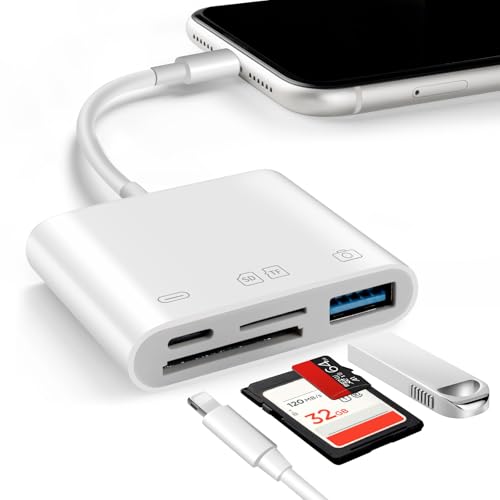
Doumsic emphasizes a broad, no-fruss plug-and-play experience with 4-in-1 capabilities. It enables two-way data transfer between SD cards and iPhone/iPad, so you can move photos and videos to your device or back to the card. The device is designed to work with a wide range of Apple devices that use Lightning connectors, including iPhone models across several generations and iPad models with Lightning ports, as well as Mac laptops. It supports SD, SDHC, SDXC, MicroSD, and USB flash drives, making it a versatile option for shooters who switch between cameras and mobile devices.
The Doumsic reader aims for simplicity and speed without requiring apps or network access. For best results, users should ensure cards use standard file systems and verify card compatibility with the device’s power budget. While not designed as a robust high-speed data center, it provides dependable transfers for everyday photo and video workflows and can be especially useful when sharing media directly from the card to social apps via your iPhone or iPad.
Ardaddyn Universal SD Card Reader
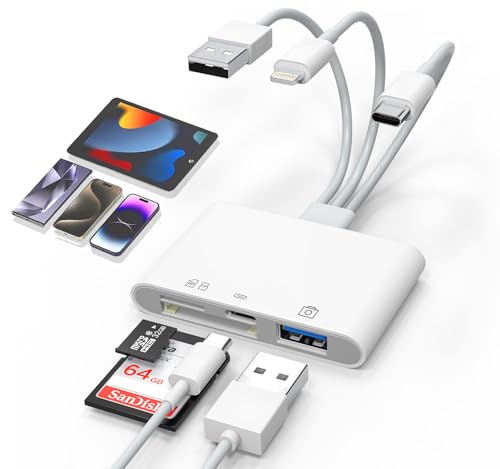
Ardaddyn’s reader targets a broad audience with a 4-in-1 approach that includes USB-C, Lightning, and USB connectors to cover most iPhone/iPad and Mac setups. The device supports SD/SDHC/SDXC and Micro SD cards, and a dedicated USB port provides optional peripheral expansion. The adapter is described as Apple MFi certified, which means it is designed to work smoothly with Apple devices and requires no app, network, or extra power. Photographers and videographers who need a single, multi-connector solution will appreciate the ability to read from cards and optionally power or connect USB peripherals via the same device.
While it offers broad compatibility and convenience, users should be mindful of the power limits of mobile devices when using USB peripherals and understand that transfer speeds align with common USB 2.0 performance ranges. This makes Ardaddyn a practical choice for field editing, quick backups, and on-device sharing rather than for high-bandwidth workflows requiring fast, sustained throughput.
DCNETWORK SD Card Reader for iPhone iPad

DCNETWORK markets a dual-connector solution that handles Lightning and USB-C devices, making it a flexible option for users who own both older iPhone models and newer devices. It supports SD and MicroSD cards and is designed for plug-and-play use with no drivers. The two‑port strategy aims to cover a wide range of Apple devices, from iPhone to iPad and beyond, while allowing transfers to and from memory cards and USB drives. It’s a compact, travel-friendly option for photographers who shoot with a mix of cameras and devices across generations.
From a performance standpoint, this reader aligns with typical USB 2.0 speeds, which are ample for photos and many standard video clips but may limit high-bitrate 4K footage transfers. It’s best used as a simple bridge for quick migrations of media, quick reviews, or sharing memories on the go rather than as a primary editing workstation peripheral. Durability and build quality are typical considerations for field gear, and this model tends to fit those needs well.
Pukiou 3-in-1 Card Reader

Pukiou’s 3-in-1 USB-C adapter blends a memory card reader with a USB port, supporting SD and MicroSD cards through dual card slots and enabling connection of USB devices. It’s positioned for iPhone 15/16 series users and other Type-C devices, which makes it relevant for newer iPhone models and a broader ecosystem. The device promises plug-and-play operation and straightforward transfers, with a claimed speed around 60 MB/s for standard media. The broad compatibility makes it a solid choice for travelers, content creators, and hobbyists who frequently move media from cameras to mobile devices.
As with other mobile readers, performance depends on the card type and device. While the USB‑C interface supports modern devices, users should be mindful of power limits when connecting multiple peripherals. This model represents a versatile, compact option for those who want a single, portable adapter that handles both card reading and USB expansion without requiring a laptop or dedicated card reader.
Buying Guide
When choosing a digital camera to phone adapter, focus on compatibility, connector types, and transfer performance. Here are key considerations to help you decide which model best fits your workflow.
- Connector compatibility: Decide between Lightning, USB-C, or multiport (USB-C plus Lightning). If you use both older and newer Apple devices, a multiport reader eliminates the need to carry multiple adapters.
- Card formats supported: Ensure the adapter handles SD, SDHC, SDXC, MicroSD, and USB drives if you plan to move media from a variety of cameras and memory cards.
- Transfer speed: USB 2.0 readers can transfer photos quickly, but 60–90 MB/s speeds are noticeably faster for larger files or 4K video; factor in your typical media size and your device’s capabilities.
- Power considerations: Many mobile readers pull power from the host device. Check the maximum current rating (often around 500 mA) to avoid overloading the port when using USB peripherals.
- App requirements: Most top picks advertise plug-and-play with no app installation. If you rely on specific apps for editing or cataloging, verify compatibility before purchasing.
- Build quality and durability: For field use, a compact, sturdy build reduces the risk of damage during travel and on shoots.
- Use-case fit: If you frequently work with trail cameras, DSLRs, or action cams, consider an adapter with robust SD/TF support and a future‑proof USB-C option for newer devices.
- Future-proofing: A 3-in-1 or multiport option can simplify gear, but ensure your preferred devices can actually take advantage of all ports without compromising reliability.
Overall, pick a model that aligns with your devices, the file types you routinely transfer, and how often you need to move media on the go. For basic on-device viewing and quick sharing, a Lightning or USB-C reader with broad SD/TF support is typically sufficient. For creators who juggle multiple cameras and devices, a multiport, Apple‑certified adapter offers both convenience and reliability across ecosystems.