In the world of live streams, a crisp 1080p image and clear audio can boost viewer engagement. This guide highlights reliable 1080p webcams ideal for streaming, gaming, and remote work. Each model offers strong video quality, easy setup, and practical features like noise-canceling mics and privacy covers. Whether you stream on Twitch or host business calls, these picks balance performance, compatibility, and value.
| Product | Brand | Key Feature | Resolution / Frame Rate |
|---|---|---|---|
| Logitech Brio 101 1080p Webcam | Logitech | RightLight Auto Light Balance; Built-in Microphone | 1080p |
| NBPOWER 1080P 60FPS Streaming Webcam | NBPOWER | 1080p60; Fill RGB Light; Privacy Cover; Noise-Canceling Mic | 1080p60 |
| NexiGo N60 1080P Webcam | NexiGo | 1080p; 110° Wide Angle; Noise-Canceling Mic | 1080p |
| TRAUSI 1080P HD Webcam | TRAUSI | 1080p; Auto Light Correction; Wide Angle; Noise-Reducing Mic | 1080p |
| EMEET C960 1080P Web Camera | EMEET | Two Mics; Privacy Cover; Low-Light Correction | 1080p |
Logitech Brio 101 1080p Webcam

The Logitech Brio 101 delivers reliable 1080p video suitable for streaming and meetings, driven by RightLight auto-light balance that reduces shadows for more natural skin tones. Its built-in microphone ensures voices come through clearly during calls, helping to minimize miscommunication during live sessions. The webcam connects via USB-A, delivering straightforward compatibility with most desktops and laptops. While compact, it packs practical features to support clean, professional-looking streams and calls without extra gear.
NBPOWER 1080P 60FPS Streaming Webcam

The NBPOWER webcam provides Full HD 1080p at 60fps, which helps deliver smoother motion for streaming, gaming, and online classes. It includes a fill light to reduce grain in lower-light environments, improving clarity when lighting is suboptimal. A privacy cover and a noise-canceling microphone ensure both visual and audio privacy while keeping voice transmission clear and immediate, making it a solid option for remote work and live broadcasts on a budget.
NexiGo N60 1080P Webcam

The NexiGo N60 captures sharp 1080p video at 30fps and features a wide 110° field of view, which is beneficial for presentations, group calls, and streaming setups. Its built-in noise-canceling microphone helps keep ambient sounds to a minimum, so voice remains clear. The camera is plug-and-play with USB and is compatible with common video apps like Zoom, Skype, and Teams, providing a versatile option for office and home studios alike.
TRAUSI 1080P HD Webcam

The TRAUSI webcam offers 1080p clarity with a wide-angle lens that’s suitable for gaming, remote work, and streaming. Automatic light correction helps maintain visibility in varying lighting conditions, while the built-in microphone with reduced noise ensures your voice is captured clearly. This model emphasizes ease of use and reliable performance for everyday video calls and broadcasts in suboptimal lighting.
EMEET C960 1080P Web Camera
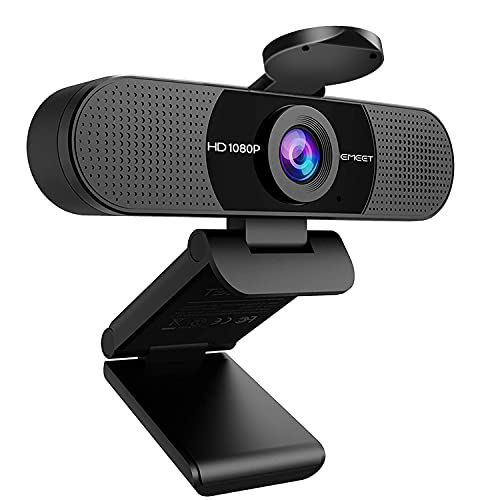
The EMEET C960 delivers 1080p video with dual microphone setup to capture clearer voice while filtering background noise. It includes a privacy cover and low-light optimization to help you look your best in dim rooms or variable lighting. The fixed focal length helps maintain consistent framing, and its plug-and-play USB connection makes it a convenient choice for educators, streamers, and remote workers seeking straightforward setup and dependable performance.
Buying Guide
Key Purchase Considerations
- Resolution and frame rate: For smooth streaming, 1080p at 30fps is standard, while 1080p at 60fps offers improved motion but may require more processing power and bandwidth.
- Lighting and exposure: Look for auto light correction or built-in fill lights to maintain visibility in mixed lighting conditions.
- Microphone quality: Built-in mics vary; consider models with noise-canceling capabilities or dual mics for clearer voice capture.
- Autofocus and stability: PDAF or fast autofocus helps keep you sharp if you move, while fixed focus can be simpler and reliable.
- Privacy and security: A physical privacy cover is valuable for protecting your feed when not in use.
- Field of view: A wider FOV is useful for group talks or room captures, but can distort face proportions if too wide.
- Connectivity and compatibility: USB-A vs USB-C, plug-and-play with common platforms (Zoom, Teams, OBS), and OS compatibility matter for quick setup.
- Software requirements: Some cameras rely on companion software for advanced controls; consider whether you want extra software or a straightforward plug-and-play device.
- Budget and value: Balance features against price, prioritizing lighting, mic quality, and ease of use for best streaming results.
Model Highlights
- Logitech Brio 101: Noted for color accuracy and lighting balance; strong all-around performance for desktop setups.
- NBPOWER: Emphasizes low-light performance and 60fps streaming with a privacy cover, offering good value for broadcasters in dim rooms.
- NexiGo N60: Wide-angle visuals with software adjustments; versatile for presentations and collaborative streams.
- TRAUSI: Focuses on automatic light correction and ease of use, suited for varied home office environments.
- EMEET C960: Dual mics plus privacy cover provide solid audio performance and privacy safeguards.
Quick Comparisons
For best lighting and general-purpose streaming, the Logitech Brio 101 stands out. If you need 60fps performance on a budget, NBPOWER is a strong pick. For broad room capture and presentation-style streams, NexiGo N60’s wide-angle helps. TRAUSI offers reliable auto-light correction for mixed lighting environments. If audio is a priority, the EMEET C960’s dual mics are advantageous for clearer voice in recordings and live streams.